Mouse colony management, without the spreadsheet
Lines, cages and mice — bred, weaned, genotyped and housed to the lab’s own rules — as part of the same Cyzica library that already holds your protocols and drug logs, not a separate tool nobody keeps up to date.
Free while Cyzica is being built. Not ready to hand over an address? Trying it makes a temporary account with a lab already in it.
How it works
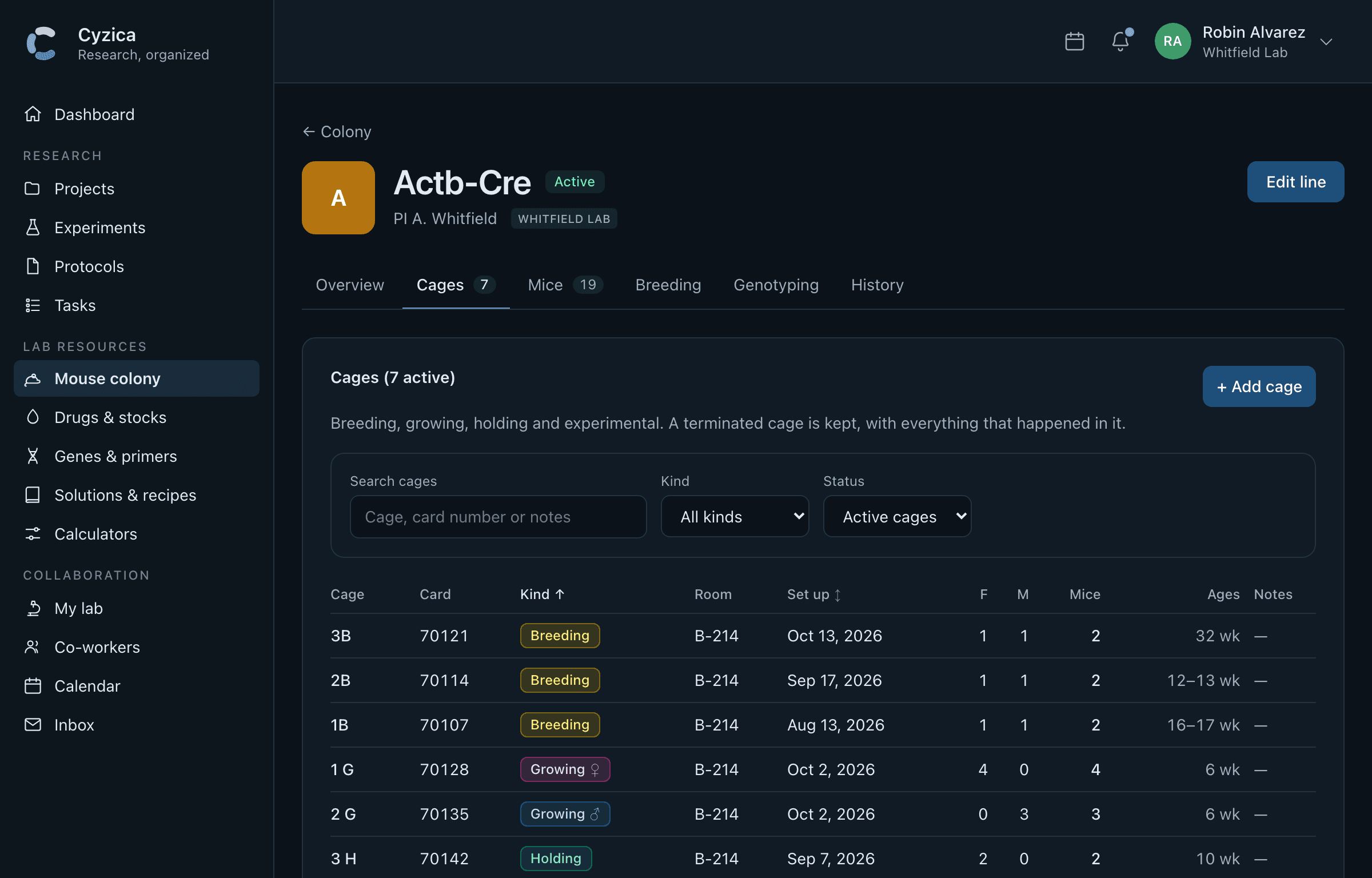
Start a line, add a cage, add mice — the first things anyone does, step by step.
Step 8 of 8. Save, and each mouse has its own row — ready to notch and genotype.
An illustration of the colony pages, with made-up names. The screenshots further down are the app itself.
1Start a line
2Add a cage
3Add mice
What it does
The things a real colony actually needs, not a generic inventory table wearing a mouse icon.
- Lines, cages and mice
- Every cage numbered the way FileMaker names them — 7B, 49669 G — so a lab moving off a spreadsheet does not have to relearn its own cage cards. Cages are coloured by kind at a glance: breeding, growing, holding, experimental.
- Breeding, litters and weaning
- Pups are counted until weaning, the way the cage card already does. Weaning is one screen: how many females and males, the lab's own per-cage limit, and the cages it needs appear already split evenly — one press makes all of them.
- Genotypes, in the lab's own codes
- 2 homo, 1 het, 0 wild, or whatever shorthand a lab already uses — stored by what it means, shown in the symbols a lab already reads, with the key on the same page as the mice.
- Housing rules that hold on their own
- A growing cage keeps to one sex and to the lab's own most-mice-per-cage limit, whatever a form tries to post. Set the limit once in lab settings; every add, move and wean respects it after that.
- What needs tending, without opening every cage
- Reminders surface on the colony page and on the dashboard — the same "needs attention" pattern already used for a vial nearing its expiry, so a colony with five hundred cages does not mean five hundred pages to check.
- Find a cage or a line by name, number or barcode
- Search updates as you type, the same way searching for a lab does — useful the moment a colony is bigger than the handful of lines you can hold in your head.
- Bring an existing colony in
- A FileMaker export is understood directly, column by column — lines, cages, mice, even litters rebuilt from the sheet. Coming from something else, a template gets you to the same shape. Either way, a preview shows exactly what will be created before anything is.
- Share a colony with a partner lab
- One PI making a breeder can take a mouse from a collaborator's colony once that lab switches sharing on. The mouse becomes the new lab's; its history keeps where it came from.
More than one lab
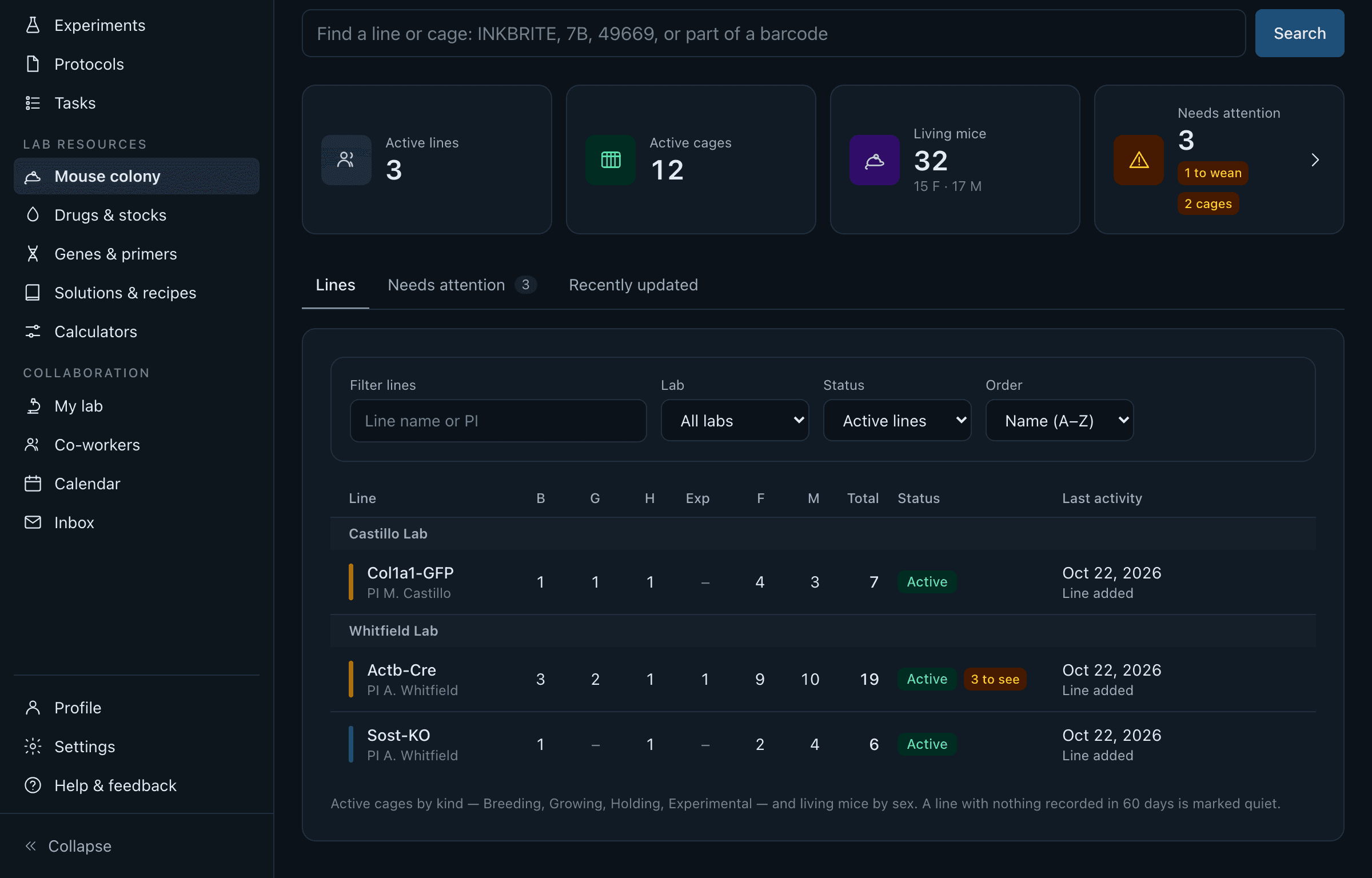
Manage multiple lab colonies at once
Each lab keeps its own colony, and if you are in more than one — a core facility, a co-mentored student, a collaboration — the colony page groups every lab's lines under its own name instead of mixing them into one list you have to re-sort by eye.
Nothing to check by hand
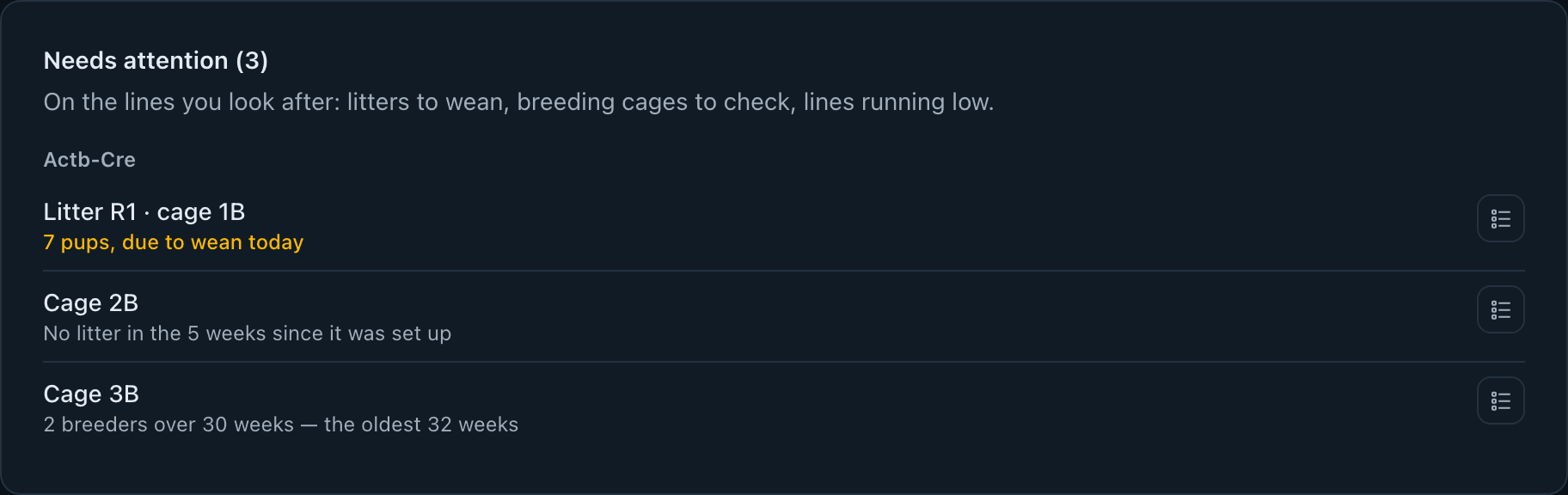
Get live updates and alerts on your colony
A litter due to wean, breeders past 30 weeks, a breeding cage with no litter since it was set up — worked out fresh from the colony as it is right now, not a flag somebody forgot to clear, surfaced on the colony page and on the dashboard.
Try it
Add a mouse, start a cage — see how it feels before you sign up.
This is a sandbox: the table below is real, interactive Cyzica code, not a recording — but nothing you do here reaches a server or saves anywhere.
| Cage | Kind | F | M | Add a mouse |
|---|---|---|---|---|
| 1B | Breeding | 1 | 1 | |
| 1 G | Growing♂ | 0 | 3 | |
| 2 H | Holding | 2 | 0 |
Needs an account
It is part of Cyzica, not bolted on
The same lab that keeps its protocols and its controlled-substance log here keeps its colony here too — one shared library, one permission model, one place to look rather than a colony spreadsheet nobody remembers to update.